Repository management wizards
You can start the following wizards from the command line. They allow you to perform basic repository management tasks by filling out dialogs (wizard steps).
NewUDevelop
This wizard allows you to create a new USoft development environment from scratch. The first NewUDevelop dialog looks like this:

To start the NewUDevelop wizard from the command line, execute:
> *usoft-bin-dir*\ublendit.exe newudevelop
To find the usoft-bin-dir directory path, in a SQL command box, run:
CloneUDevelop
This wizard allows you to clone an entire repository to a different location. It gives you the choice between copying the repository directly at database level or reading it from a data export file where you exported the source data previously. The first CloneUDevelop dialog looks like this:

To start the CloneUDevelop wizard from the command line, execute:
> *usoft-bin-dir*\ublendit.exe cloneudevelop
CompareUDevelop
This wizard allows you to compare two different versions of the same repository. The first CompareUDevelop dialog looks like this:
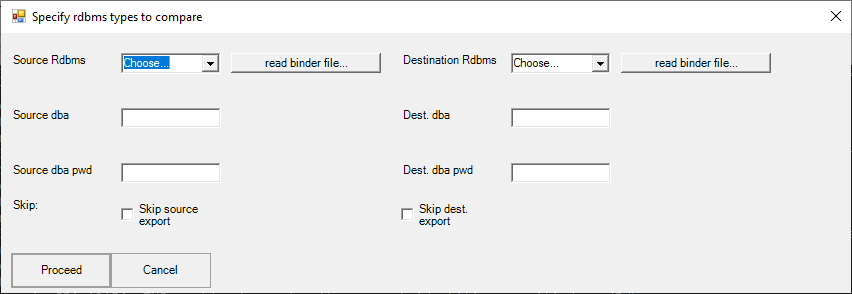
To start the CloneUDevelop wizard from the command line, execute:
> *usoft-bin-dir*\ublendit.exe compareudevelop